Admin or HR · ~3 min
Payroll Summary (not a payslip)
Download hours, leave, absence and overtime for your accountant. Faciro does not pay salaries or print payslips.
Step 1
Fix the month first
Check Attendance or Payroll Summary for missing clock-outs. Confirm each person’s Hik-Connect ID matches the machine. Review leave so approved days are correct.
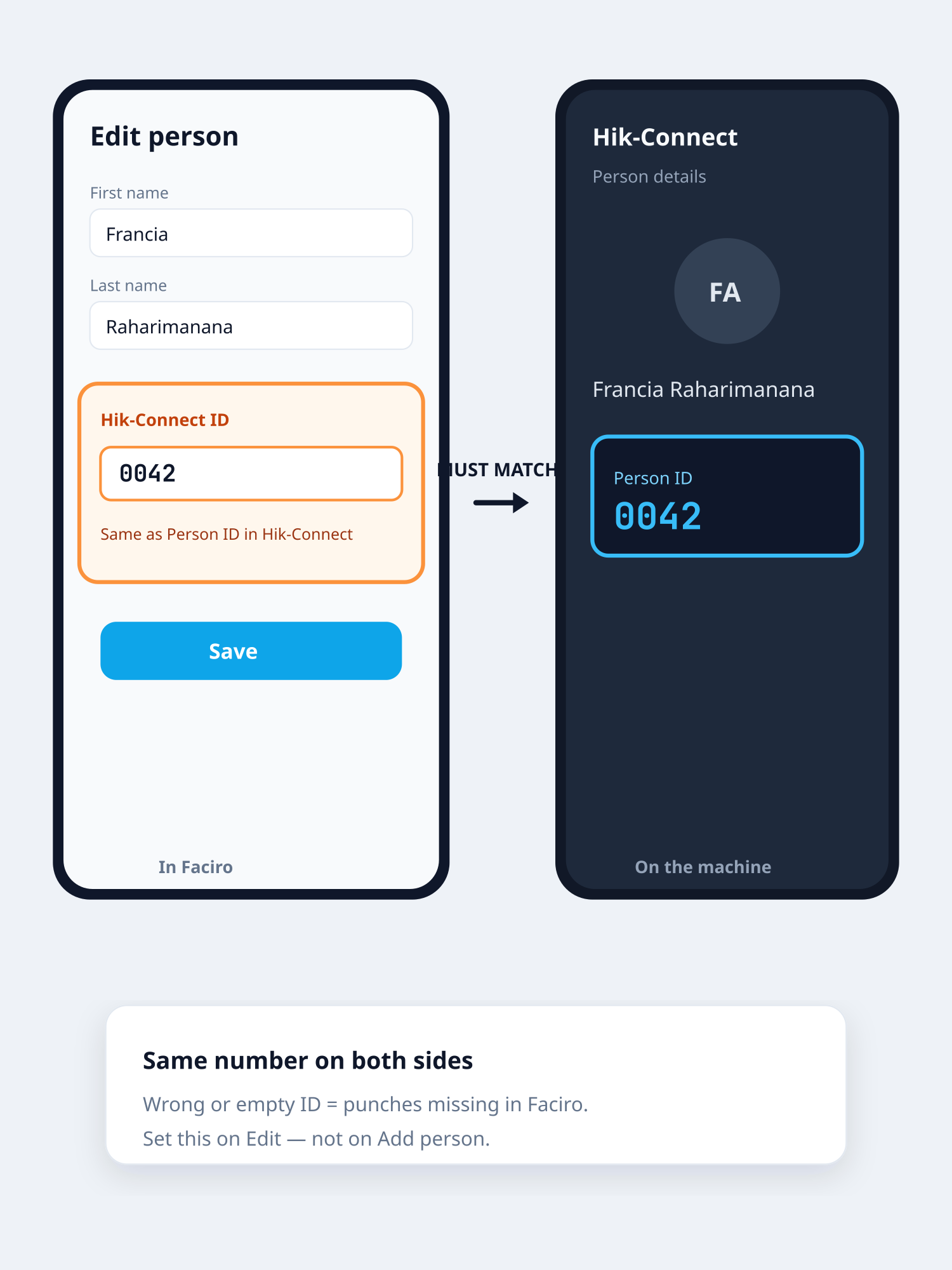
Confirm Hik IDs before you export Step 2
Check missing punches
On Payroll Summary, pick the month or from–to. The Missing punches before payroll list shows anyone with clock-in but no clock-out. Fix times there (or on Attendance) so hours are included. If the list is clear, you can send the CSV.
Step 3
Check absent name & date
Below missing punches, Absent (no punch) lists each person and date with zero punches — expected at work but no clock-in. Future dates that have not been reached yet are not listed. Leave and roster OFF are not listed. Download the CSV for your accountant if needed.
Step 4
Open Payroll / Reports
Go to Payroll (Reports). Open Payroll Summary — or Payroll MU helper if you use Mauritius money fields from Settings.
Step 5
Pick the period
Choose the month or date range your payroll team uses.
Step 6
Export CSV
Download the file and send it to your accountant or payroll bureau. They process pay outside Faciro.
Related guides